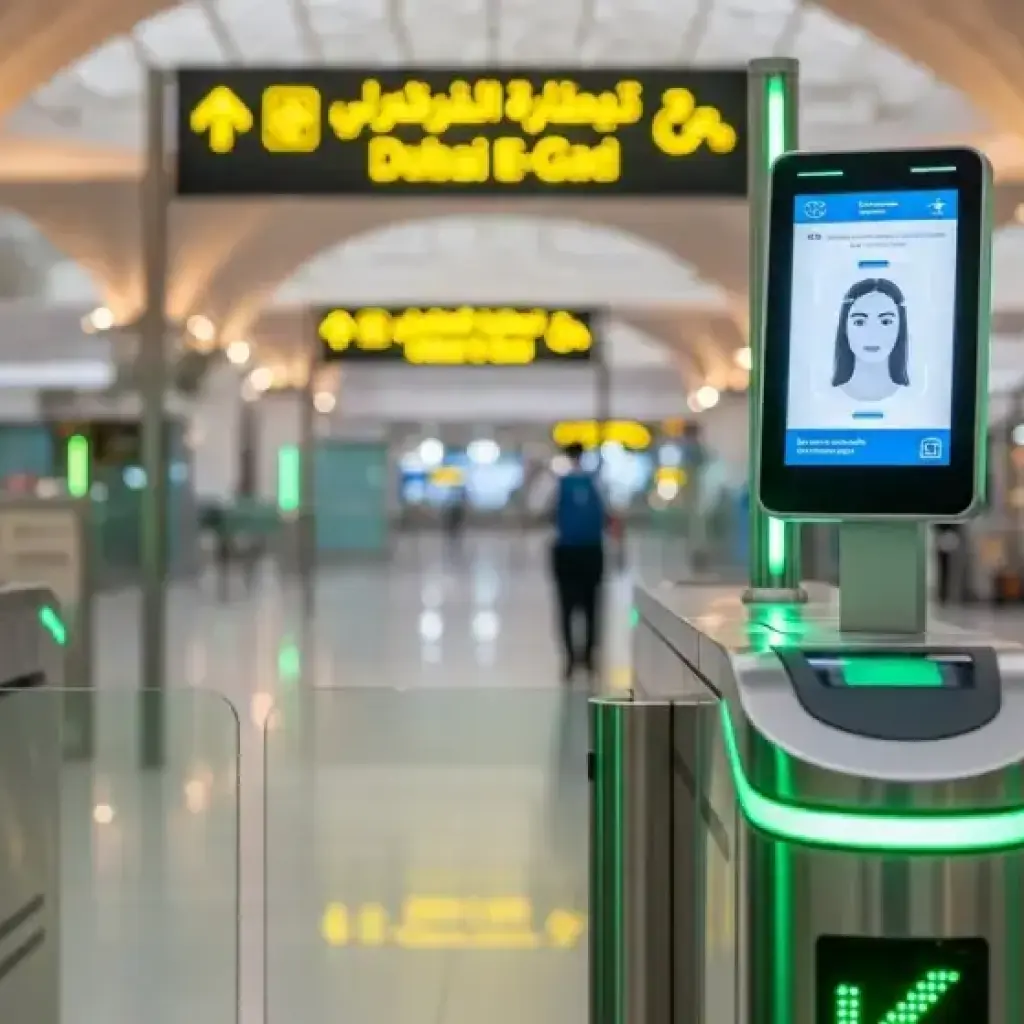
Traveling through UAE airports has become faster and more convenient thanks to the new e-Gate system, also known as Smart Gates. These automated gates are designed to reduce waiting time and make airport immigration quicker for both residents and visitors.
Whether you’re a frequent traveler or visiting the UAE for the first time, here’s a complete guide on how to use the UAE e-Gate system for fast check-ins and exits.
What Is the UAE E-Gate System?
The e-Gate system is an automated immigration control technology installed at major UAE airports, including Dubai, Abu Dhabi, and Sharjah. It uses biometric verification—such as facial recognition, iris scanning, or Emirates ID—to let travelers pass through immigration without waiting in long manual queues.
Instead of handing your passport to an immigration officer, you simply scan your document or ID, look at the camera for a few seconds, and walk through once the system confirms your identity.
Key Benefits of E-Gates
- Faster processing time: You can pass through immigration in as little as 10–15 seconds.
- Less queuing: Avoid long manual passport control lines.
- Contactless travel: No need to hand over documents or interact with officers.
- Secure and accurate: Uses advanced biometric data for verification.
- Convenient for frequent travelers: Ideal for residents and business travelers who fly often.
Who Can Use the E-Gate?
Not everyone can use the e-Gate immediately—it depends on your passport type, residency status, and airport. Below are the eligibility categories.
1. UAE Nationals and Residents
If you’re a UAE citizen or resident, you can use the e-Gate with your Emirates ID. There’s no need for a separate e-Gate card anymore, as your biometric information is already stored in the national database.
2. GCC Nationals
Citizens from GCC countries such as Saudi Arabia, Oman, Bahrain, Kuwait, and Qatar can also use e-Gates at most UAE airports.
3. Tourists and Visitors
If you’re a tourist, you may use the e-Gate after your first registration. During your first entry, immigration will capture your biometric data (facial and iris scan). Once registered, you can use the e-Gate on future visits without extra paperwork.
4. Other Eligible Passengers
- Visa-on-arrival travelers with biometric passports.
- Frequent flyers registered in the UAE’s biometric database.
Who Cannot Use the E-Gate
Certain travelers are not yet eligible:
- Children below 15 years (age limit may vary by airport).
- Passengers with non-machine-readable passports.
- Travelers with mobility issues or using wheelchairs (special lanes are available).
- Those carrying large items like strollers.
- First-time visitors who haven’t completed biometric registration.
How to Use the E-Gate Step-by-Step
Step 1: Prepare Your Documents
Before you approach the e-Gate, ensure you have one of the following ready:
- Emirates ID (for UAE residents).
- Machine-readable passport (for tourists).
- e-Gate card (for older system users).
Also, remove hats, sunglasses, and masks before scanning, as these can block facial recognition.
Step 2: Approach the Smart Gate
At the immigration area, follow the signs labeled “Smart Gate” or “e-Gate.” There are usually separate lanes for manual and automated processing—choose the Smart Gate lane.
Step 3: Scan Your ID or Passport
Place your Emirates ID or passport on the reader. Wait until the system confirms it has read your information correctly.
If you’re a UAE resident, your Emirates ID usually replaces the need to scan a passport
Step 4: Biometric Verification
Stand on the marked footprints and face the camera. The system will scan your face and eyes to match your stored biometric data. Keep your head steady until you see a green light.
Once verified, the gate doors will open automatically.
Step 5: Proceed Through the Gate
After the gate opens, simply walk through. You’ve successfully completed immigration—no passport stamping or officer interaction required. Your entry or exit is recorded electronically in the immigration system.
Using E-Gate for Arrivals vs Departures
Departures (Leaving the UAE)
After check-in and baggage drop, head to departure immigration. Use your Emirates ID or passport at the Smart Gate to exit the country. Your departure record is stored digitally—no stamp required.
Arrivals (Entering the UAE)
On arrival, go directly to the Smart Gate area. Scan your ID or passport and complete the biometric scan. Once verified, the gate opens and you can collect your luggage. For first-time users, biometric registration might be required before using the gate.
What If You Need a Passport Stamp?
Some countries or visa processes may require a physical exit or entry stamp. Since e-Gates do not stamp passports, you can request manual immigration instead. Just inform the airport staff before proceeding through the Smart Gate.
Troubleshooting Common Issues
Even with advanced technology, small issues can happen. Here’s how to handle them:
❌ Gate Doesn’t Open
- Ensure your passport or ID is properly scanned.
- Retry once or ask the immigration officer for help.
❌ Face Not Recognized
- Remove glasses or hat.
- Ensure you are standing correctly on the marks.
- Make sure your Emirates ID or passport data is up to date.
❌ New Passport After Renewal
If you’ve renewed your passport recently, visit a registration counter to link your new passport to your existing biometric profile.
❌ Traveling with Children
Children under the eligible age must use manual immigration. Parents and guardians can go together through the staffed counter.
Benefits for Residents and Tourists
For Residents
- No need to carry an e-Gate card.
- Seamless travel for frequent flyers.
- Entry and exit recorded instantly with your Emirates ID.
For Tourists
- Quick entry after biometric registration.
- Avoid long queues at immigration counters.
- Convenient for connecting flights and return visits.
For Families
- Faster travel experience with separate lanes for families.
- Staff available to guide you through the process if needed.
Important Tips Before Using E-Gate
- Keep your ID ready: Don’t wait until you’re at the scanner to search for your documents.
- Dress for face scanning: Avoid large sunglasses, masks, or hats.
- Check your passport validity: Must be valid for at least six months.
- Update your records: If your Emirates ID or passport has changed, update your biometric data before travel.
- Follow instructions: Look for on-screen prompts at the gate; they’re available in multiple languages.
- Arrive early if using for the first time: Registration can take a few extra minutes the first time.
- Use the right lane: Some Smart Gates are designated for certain passenger categories (residents, GCC nationals, etc.).
How the Technology Works
The UAE e-Gate system uses biometric data—a combination of facial and iris recognition. When you pass through the gate, cameras scan your face and eyes to verify your identity within seconds. The data is then matched with the UAE immigration database.
This technology ensures:
- Faster verification
- Reduced errors
- Enhanced border security
- Contactless travel experience
Over time, the system “learns” and becomes more efficient, reducing delays even further.
What Makes UAE’s E-Gate System Unique
- Nationwide integration: Works across major airports in Dubai, Abu Dhabi, and Sharjah.
- Linked to Emirates ID: No need for separate registration for most residents.
- Supports multiple nationalities: Including tourists, GCC nationals, and visa-on-arrival travelers.
- Advanced AI: Uses smart cameras and AI algorithms for precise identification.
- 24/7 monitoring: Ensures reliability and safety for all travelers.
Frequently Asked Questions
1. Do I need to register before using the e-Gate?
Residents usually don’t need to register. Tourists might need one-time biometric enrollment at immigration during their first visit.
2. Can I still get a passport stamp?
Yes, but only if you go through manual immigration. The e-Gate does not issue physical stamps.
3. How long does the process take?
Typically less than 20 seconds once you reach the gate.
4. Can families use the e-Gate together?
Each adult must pass through individually. Children usually go through manual lanes with parents.
5. What if I face issues at the gate?
Airport staff are always nearby to assist with technical or registration issues.
Final Thoughts
The UAE’s e-Gate system represents the future of smart, seamless travel. It saves time, reduces stress, and ensures greater security. Whether you’re a UAE resident traveling frequently or a tourist visiting for the first time, learning to use the e-Gate can transform your airport experience.
By registering your biometric data and keeping your documents ready, you can walk through immigration in seconds—no queues, no paperwork, no delays.
Next time you travel through Dubai, Abu Dhabi, or Sharjah, try the Smart Gate and see how effortlessly you can check in or exit the UAE.